- Home Page /
- Electronics /
- Computer Accessories /
- Computer Data Storage Devices /
- Floppy & Tape Drives /
- USB Floppy Disk, Vbestlife Portable 5V DC 3.5...
0 ratings


Item #:
71472852
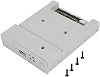
USB Floppy Disk, Vbestlife Portable 5V DC 3.5 Inch 1.44 MB SDD External Floppy Drive Emulator Converter with 4-pin Power Plug and 34-pin Plug
Item #:
71472852
ETB 7319
Price Details
Excluding Shipping & Custom charges ( Shipping and custom charges will be calculated on checkout )
*All items will import from US
0 ratings
Write a review
In stock
 Imported from USA store
QTY:
Order now and get it around Tuesday, July 21
Secured transaction
Ubuy works hard to protect your security and privacy. Our advanced payment security system ensures confidentiality by encrypting your information during transmission using AES (Advanced Encryption Standards) and SSL (Secure Socket Layer) protocols. Your payment details are 100% secure as we do not share your payment details with third party sellers.
Our Top Logistics Partners


This USB SSD floppy drive emulator is a great industrial control device with high security data protection and ease of use. Suitable for 1.44MB floppy disk drive industrial control equipment, it has built-in memory for switching data, conversion formats, and automatic data saving.

Fast
Shipping

Free
Return*

Secure Packaging

100% Original Products

PCI DSS Compliance

ISO 27001 Certified


Note: Step Down Voltage Transformer required for using electronics products of US store (110-120). Recommended power converters Buy Now.


What Stands Out
Portable Design
This compact USB floppy disk emulator can be easily transported, making it ideal for users who need to access floppy disk data on the go or in various locations.
Wide Compatibility
Works seamlessly with multiple operating systems and devices, allowing users to connect and transfer data from older floppy disks without hassle.
Simple Installation
With a straightforward setup process, this external emulator provides a quick and efficient way to convert 3.5-inch floppy drives to modern USB interfaces, enhancing user convenience.
Product Details
- High integration and data protection for 1.44MB floppy disk drive industrial control equipment
- Built-in memory for data switching and format conversion between FAT16/32 and FAT12
- FAT32 compatible u disk with automatic data saving upon power off
- Plug and play with no need for resetting
- ABS shell material in gray color, 5V DC voltage, and USB port interface
- Compact size of 12.2 * 10.1 * 2.5cm and lightweight at approximately 101g
| Item Weight | 1 lbs (450 grams) |
Who Should Buy?

-
Legacy Device Users
Ideal for users with older devices that rely on floppy disks for data transfer and access.
-
Data Recovery Enthusiasts
Great for individuals trying to retrieve old files stored on floppy disks using modern technology.
-
Technical Hobbyists
Perfect for DIYers wanting to experiment with retro computing or control software and hardware from the past.

-
Modern Users
Not suitable for users who rely solely on contemporary storage solutions like USB drives or cloud storage.
-
Storage Intensive Tasks
Ineffective for those requiring high-capacity data storage as it supports only 1.44 MB per floppy disk.
-
Casual Users
Not recommended for individuals with limited technical knowledge who may find installation and setup challenging.
Product Description
USB Floppy Disk, Vbestlife Portable 5V DC 3.5 Inch 1.44 MB SDD External Floppy Drive Emulator Converter with 4-pin Power Plug and 34-pin Plug
Have any Query? Chat with us
Customer Questions & Answers
-
Question:
What is the USB Floppy Disk, Vbestlife Portable 5V DC 3.5 Inch 1.44 MB SDD External Floppy Drive Emulator Converter used for?
Answer: The USB Floppy Disk Emulator allows users to connect old floppy disk systems to modern USB interfaces. It's perfect for those looking to access, transfer, or store data from older software or hardware that relies on floppy disks. Ideal for retro computing enthusiasts, this device emulates traditional floppy drives, making it simple to access legacy files without needing original floppy disks. This can be particularly useful in businesses that still rely on legacy equipment or for individuals who want to recover old personal data. -
Question:
How does the Vbestlife Floppy Drive Emulator connect to devices?
Answer: The Vbestlife Floppy Drive Emulator features a 4-pin power plug and a 34-pin IDE connection, allowing it to interface seamlessly with various systems. To use it, you connect the 34-pin plug to the floppy port of your computer or device and provide power via the 4-pin connector. This simple plug-and-play setup means that you can easily integrate the emulator into older desktops or even certain laptops that offer floppy drive options. Use cases include reviving old PCs for data recovery or utilizing specific legacy applications. -
Question:
Does the emulator support multiple floppy disk formats?
Answer: Yes, the Vbestlife Emulator can work with various floppy disk formats, most notably the 1.44 MB 3.5-inch format. Therefore, if you have files stored on different formats, you can potentially access them through the emulator if they are compatible. This versatility is particularly beneficial for users who have a collection of legacy software or games. As a practical scenario, gamers can revive their favorite retro games, which were originally saved on floppy disks. -
Question:
Is the Vbestlife Floppy Disk Emulator compatible with modern operating systems?
Answer: Yes, the Vbestlife Floppy Disk Emulator is generally compatible with modern operating systems such as Windows, Mac OS, and Linux. Users need to ensure they have the necessary drivers installed, which are typically available online or come included with the emulator. This compatibility enables users to access old files on current systems, making it an excellent tool for archived projects, studying legacy systems, or nostalgic uses. For example, a student could access old research files stored on floppy disks using today’s computers. -
Question:
What power supply requirements does the Vbestlife Emulator have?
Answer: The Vbestlife Portable Floppy Disk Emulator operates on a 5V DC power supply, which is standard for many USB devices. The included 4-pin power connection allows it to draw power effectively from your PC or an external source. Ensuring that you have a compatible power source is crucial for the emulator's functionality. This setup makes it convenient to use in various environments, whether retro gaming at home or accessing old work files in an office. -
Question:
Can this emulator be used with USB drives?
Answer: The Vbestlife Emulator itself doesn’t directly read USB drives; instead, it emulates a floppy disk that can be replaced with virtual images stored on a USB. Users can create disk images from their data files stored on a USB and then load these into the emulator. This means while the device doesn’t interact with USB drives directly, it provides a way to create a bridge between old and new storage media, enabling easier access to legacy data. For instance, users can transfer files from USB to floppy disk images for use in older software. -
Question:
What types of users would benefit from the Vbestlife Floppy Disk Emulator?
Answer: The Vbestlife Floppy Disk Emulator is ideal for a variety of users, including retro computing enthusiasts, data recovery professionals, software developers, and businesses with legacy systems. These groups often need to access old software, documents, or hardware, which rely on floppy disks. For instance, a digital archivist could utilize the emulator to preserve historical data from floppy disks while providing modern access to university researchers for studies involving legacy technology. -
Question:
How can I format floppy disk images to use with the emulator?
Answer: To format floppy disk images for use with the Vbestlife Emulator, you can utilize disk imaging software such as WinImage or Disk Copy. Create an image file based on the required floppy disk format (typically .IMG for standard floppy images). Once formatted, upload the image to the emulator’s storage. This process allows you to create multiple disk images for various uses. It's particularly useful for software that requires specific disk setups, enabling users to run programs from legacy systems on modern hardware. -
Question:
Where can I buy a Vbestlife Portable Floppy Disk Emulator?
Answer: You can purchase the Vbestlife Portable Floppy Disk Emulator at Ubuy. They offer a reliable platform to buy various tech gadgets and accessories, ensuring you have access to modern solutions for legacy technology needs. With Ubuy’s extensive selection, you can find this emulator and other related products readily available for your convenience.
VBESTLIFE Floppy & Tape Drives Editorial Review
No editorial reviews found
Customer Reviews & Ratings
1 customers ratings
-
5 Star
100%
-
4 Star
0%
-
3 Star
0%
-
2 Star
0%
-
1 Star
0%
Review this product
Share your thoughts with other customers
Product Price History
Important information
- Limitations : For products shipped internationally, please note that any manufacturer warranty may not be valid; manufacturer service options may not be available; product manuals, instructions, and safety warnings may not be in destination country languages; the products (and accompanying materials) may not be designed in accordance with destination country standards, specifications, and labeling requirements; and the products may not conform to destination country voltage and other electrical standards (requiring use of an adapter or converter if appropriate). The recipient is responsible for assuring that the product can be lawfully imported to the destination country. When ordering from Ubuy or its affiliates, the recipient is the importer of record and must comply with all laws and regulations of the destination country.
- Not all the products listed on Ubuy are for sale, as Ubuy is a global search engine. Products are subject to export/trade regulations.
ETB 7319
Order now and get it around Tuesday, July 21
This item is not restrict in my country.(Please click on above link if this item is not restrict in your country, So our team will review and allow.)
QTY:
Secured transaction
Ubuy works hard to protect your security and privacy. Our advanced payment security system ensures confidentiality by encrypting your information during transmission using AES (Advanced Encryption Standards) and SSL (Secure Socket Layer) protocols. Your payment details are 100% secure as we do not share your payment details with third party sellers.
Our Top Logistics Partners
Fastest cross-border delivery
Features & Benefits
- High security data protection
- Suitable for 1.44MB floppy disk drive industrial control equipment
- Built-in memory for switching data
- Conversion formats between FAT16/32 and FAT12
- Automatic data saving when power is turned off
- Plug and play, no need to reset