- Home Page /
- Mobile Phone Accessories /
- Accessories /
- Maintenance, Upkeep & Repairs /
- Replacement Parts /
- Screens /
- IPS LCDPre install Screen Replacement for Mot...
0 ratings


Item #:
102800669
IPS LCDPre install Screen Replacement for Motorola Moto G04 XT2421-2 Display Touch Digitizer Screen Repair Part with Screen Frame
Item #:
102800669
ETB 5974
Price Details
Excluding Shipping & Custom charges ( Shipping and custom charges will be calculated on checkout )
*All items will import from US
0 ratings
Write a review
In stock
 Imported from USA store
QTY:
Only 8 items left in stock.
Order now and get it around Saturday, June 27
Secured transaction
Ubuy works hard to protect your security and privacy. Our advanced payment security system ensures confidentiality by encrypting your information during transmission using AES (Advanced Encryption Standards) and SSL (Secure Socket Layer) protocols. Your payment details are 100% secure as we do not share your payment details with third party sellers.
Our Top Logistics Partners


This repair part will solve any problems with Screen IPS LCD and Screen damage, providing a 100% completion guarantee on your screen repair project.

Fast
Shipping

Free
Return*

Secure Packaging

100% Original Products

PCI DSS Compliance

ISO 27001 Certified


Note: Step Down Voltage Transformer required for using electronics products of US store (110-120). Recommended power converters Buy Now.


What Stands Out
High Compatibility
Designed specifically for Motorola Moto G04 XT2421-2, ensuring a perfect fit and seamless operation, which makes installation easy for both amateurs and professionals.
Durable Material
Constructed with high-quality materials for enhanced durability and longevity, preventing cracks and damage during daily use and maintaining the device's sleek appearance.
Complete Set
Includes screen frame and touch digitizer, providing everything needed for a full replacement, making repairs simpler and reducing the need for additional purchases.
Product Details
- Compatibility for Motorola Moto G04 XT2421-2
- This repair part is made to replace your 6.56 shattered G04 XT2421-2 display.It will solve any problems with Screen IPS LCD and Screen damage. If your screen is not responding to your touch or if the LCD is displaying dead pixels this replacement is the solution for you,Our parts are factory tested to ensure that the quality of the replacement is perfect.
- Incompatible with similar models.
- Including FREE opening tools and adhesive tape.
- Not including installation instruction.
| Package Dimensions | 3.94 x 3.94 x 0.79 inches (10 x 10 x 2 cm) |
| Item Weight | 3.53 ounces (100.08 grams) |
| Item model number | VMO-screen5 |
| Other display features | Wireless |
| Color | Black |
| Manufacturer | VEKIR |
| Date First Available | July 18, 2024 |
Who Should Buy?

-
DIY Phone Repair
Ideal for users comfortable with disassembling phones and looking to save on repair costs.
-
Budget-Conscious Users
Great for individuals seeking an affordable option to replace their broken Moto G04 screen.
-
Tech Enthusiasts
Perfect for those passionate about technology who wish to enhance their device lifespan through upgrades.

-
Non-Technical Users
Not suitable for individuals with limited technical skills or no prior experience in phone repair.
-
Warranty Holders
Users with active warranties may risk voiding their warranty by performing self-repairs.
-
High-End Users
Not the best choice for those who want premium quality screens or advanced features in their devices.
Product Description
Have any Query? Chat with us
Related Searches
Customer Questions & Answers
-
Question:
What is included in the IPS LCD Pre Install Screen Replacement for Motorola Moto G04?
Answer: The IPS LCD Pre Install Screen Replacement package for the Motorola Moto G04 includes the LCD display, touch digitizer, and screen frame. This complete assembly allows you to fix both display and touch issues in one go. The pre-installed design means that the components come together, streamlining the process for repairs. Users needing to replace a cracked or non-responsive screen can conveniently use this all-in-one solution, ensuring that they can restore their device functionality quickly. -
Question:
How do I install the IPS LCD screen replacement?
Answer: Installing the IPS LCD screen replacement involves a few specific steps. First, ensure you have the right tools, such as a suction cup, a plastic spudger, and a screw driver set. Start by powering off the device and use the tools to remove the old screen carefully. Once the old screen is off, connect the new screen with the appropriate connectors, fitting it into the frame. It's advisable to watch tutorial videos for a more visual guide. This process is ideal for someone who wants to save on repair costs by handling replacements independently. -
Question:
Is the IPS LCD screen replacement compatible with other Motorola models?
Answer: The IPS LCD screen replacement is specifically designed for the Motorola Moto G04 model, particularly for the XT2421-2 version. While some parts may look similar, different models often have unique specifications in their connector types and dimensions. Using the correct replacement ensures compatibility and optimal performance. If you are considering repairs on other models, it’s crucial to verify the specific model number and part compatibility to avoid any complications during installation. -
Question:
What should I do if my screen is flickering after the replacement?
Answer: If your screen is flickering after replacing the IPS LCD, it could indicate a loose connector or an issue with the display itself. Start by double-checking the connection points to ensure they are securely attached to the motherboard. If everything seems correctly connected, the new display might be defective, and contacting the supplier for assistance would be the next step. This scenario can happen if the installation was rushed or the screen had manufacturing issues, showing the importance of careful handling. -
Question:
Can I replace the screen myself, or should I seek professional help?
Answer: Replacing the screen can be a DIY project for those with basic technical skills, however, professional help is recommended for those unsure about the process. DIY enthusiasts can watch instructional videos and follow step-by-step guides. For individuals unfamiliar with phone repairs, seeking a professional ensures high-quality work and less risk of further damage. This choice often aligns with personal comfort levels regarding technical tasks and the value placed on professional assurance. -
Question:
Does the replacement screen come with adhesive or glue?
Answer: The IPS LCD replacement typically does not come with pre-applied adhesive or glue, as the screen frame is engineered to fit snugly during installation. However, some users prefer to add additional adhesive to ensure a secure fit. When replacing the screen, it's essential to make sure you use the right adhesive to avoid complications later. Users planning to use the device heavily in various conditions may benefit from extra adhesive to enhance durability. -
Question:
What tools do I need for the screen replacement process?
Answer: To perform the screen replacement, you'll need a few essential tools: a suction cup for lifting the screen, a plastic spudger for prying, and a set of screwdrivers that match the screws in your phone. Having these tools will make the process smoother and help avoid damage to internal components. It's crucial to work in a clean, organized space while conducting repairs. Proper tools ensure efficiency and reduce the chance of mistakes during the installation. -
Question:
How can I ensure that my new screen is genuine and high quality?
Answer: To ensure that your IPS LCD screen replacement is genuine and of high quality, consider purchasing from reputable sources that provide product descriptions, customer reviews, and manufacturer information. Look for guarantees on quality or certification from suppliers. Quality screens enhance device performance and longevity, making it beneficial to invest in authentic parts. By carefully selecting where you buy the replacement, you can minimize risks associated with inferior products. -
Question:
Where can I buy IPS LCD Pre Install Screen Replacement for Motorola Moto G04 XT2421-2?
Answer: You can purchase the IPS LCD Pre Install Screen Replacement for Motorola Moto G04 XT2421-2 from Ubuy. Ubuy offers a wide range of electronic components and accessories, ensuring you find the specific part needed for your repair. With user-friendly navigation and reliable sourcing, Ubuy is an excellent choice for obtaining high-quality replacement parts for your Moto G04. Their platform simplifies the purchasing process, providing information that can guide your selection. -
Question:
What common issues can this screen replacement fix?
Answer: The IPS LCD screen replacement can fix common issues such as cracked screens, broken touch response, and display malfunctions like flickering or discoloration. These problems can arise from drops, impacts, or wear over time. By replacing the screen, you restore both the visual quality and touch functionality of your device. Users often find that fixing these issues extends the lifespan of their phone, making it a worthwhile repair for maintaining device integrity.
VEKIR Screens VMO-screen5 Editorial Review
No editorial reviews found
Customer Reviews & Ratings
1 customers ratings
-
5 Star
0%
-
4 Star
100%
-
3 Star
0%
-
2 Star
0%
-
1 Star
0%
Review this product
Share your thoughts with other customers
Pros
- High-quality display
- Easy installation
- Perfect fit for the model
- Responsive touch sensitivity
- Includes screen frame
Cons
- Color accuracy could be improved.
Top selling Moto G4 screen replacement in Ghana


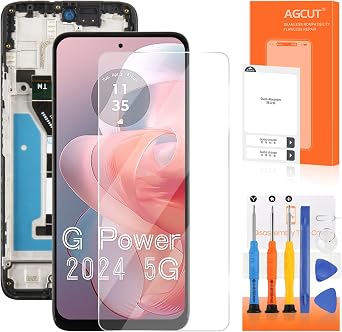
![for Motorola G 5G [2024 Version] Screen Replacement for Moto G 5G 2024 Screen Replacement Kit with Frame XT2417 XT2417-1 XT2417D LCD Display digitizer Touch Screen Assembly 6.6 inch](https://m.media-amazon.com/images/I/51uKJGwcNPL._AC_SR218,218_.jpg)


Last Updated on June 14, 2026
Product Price History
Important information
- Limitations : For products shipped internationally, please note that any manufacturer warranty may not be valid; manufacturer service options may not be available; product manuals, instructions, and safety warnings may not be in destination country languages; the products (and accompanying materials) may not be designed in accordance with destination country standards, specifications, and labeling requirements; and the products may not conform to destination country voltage and other electrical standards (requiring use of an adapter or converter if appropriate). The recipient is responsible for assuring that the product can be lawfully imported to the destination country. When ordering from Ubuy or its affiliates, the recipient is the importer of record and must comply with all laws and regulations of the destination country.
- Not all the products listed on Ubuy are for sale, as Ubuy is a global search engine. Products are subject to export/trade regulations.
ETB 5974
Order now and get it around Saturday, June 27
This item is not restrict in my country.(Please click on above link if this item is not restrict in your country, So our team will review and allow.)
QTY:
Only 8 items left in stock.
Secured transaction
Ubuy works hard to protect your security and privacy. Our advanced payment security system ensures confidentiality by encrypting your information during transmission using AES (Advanced Encryption Standards) and SSL (Secure Socket Layer) protocols. Your payment details are 100% secure as we do not share your payment details with third party sellers.
Our Top Logistics Partners
Fastest cross-border delivery
Features & Benefits
- Fully replaces damaged LCD and touch glass screen.
- Repairs issues like dead pixels, ghost touch, and broken glass.
- Compatible specifically with Motorola Moto G04 XT2421-2.
- Includes disassembly tools and adhesive for easy installation.
- Factory tested for perfect quality and performance.
- Avoids costly repairs with a DIY capability.