0 ratings






Item #:
40445233
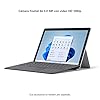
Microsoft Surface Go 3 - 10.5" Touchscreen - Intel Pentium Gold - 8GB Memory - 128GB SSD - Device Only - Platinum (Latest Model)
Item #:
40445233
ETB 135721
Price Details
Excluding Shipping & Custom charges ( Shipping and custom charges will be calculated on checkout )
*All items will import from US
0 ratings
Write a review
Out of stock
 Imported from USA store
Secured transaction
Ubuy works hard to protect your security and privacy. Our advanced payment security system ensures confidentiality by encrypting your information during transmission using AES (Advanced Encryption Standards) and SSL (Secure Socket Layer) protocols. Your payment details are 100% secure as we do not share your payment details with third party sellers.
Our Top Logistics Partners


The most portable Surface touchscreen 2-in-1. Perfect for your everyday tasks, homework, and play.

Fast
Shipping

Free
Return*

Secure Packaging

100% Original Products

PCI DSS Compliance

ISO 27001 Certified


Note: Step Down Voltage Transformer required for using electronics products of US store (110-120). Recommended power converters Buy Now.


What Stands Out
Compact Design
The Microsoft Surface Go 3 is lightweight and portable, making it ideal for on-the-go productivity without compromising performance or functionality, perfect for students and professionals alike.
Vibrant Touchscreen
The 10.5-inch touchscreen offers an immersive visual experience with responsive touch capabilities, enhancing user interaction whether for work, browsing, or entertainment.
Powerful Performance
Equipped with an Intel® Pentium® Gold processor and 8GB memory, this device ensures smooth multitasking and efficient operation, outperforming many competitors in the same price range.
Product Details
- Most portable Surface touchscreen 2-in-1
- 10.5” 220ppi touchscreen with adjustable Kickstand
- Up to 11 hours of all-day battery life with Fast Charging
- Optimized for digital pen and touch with Windows 11
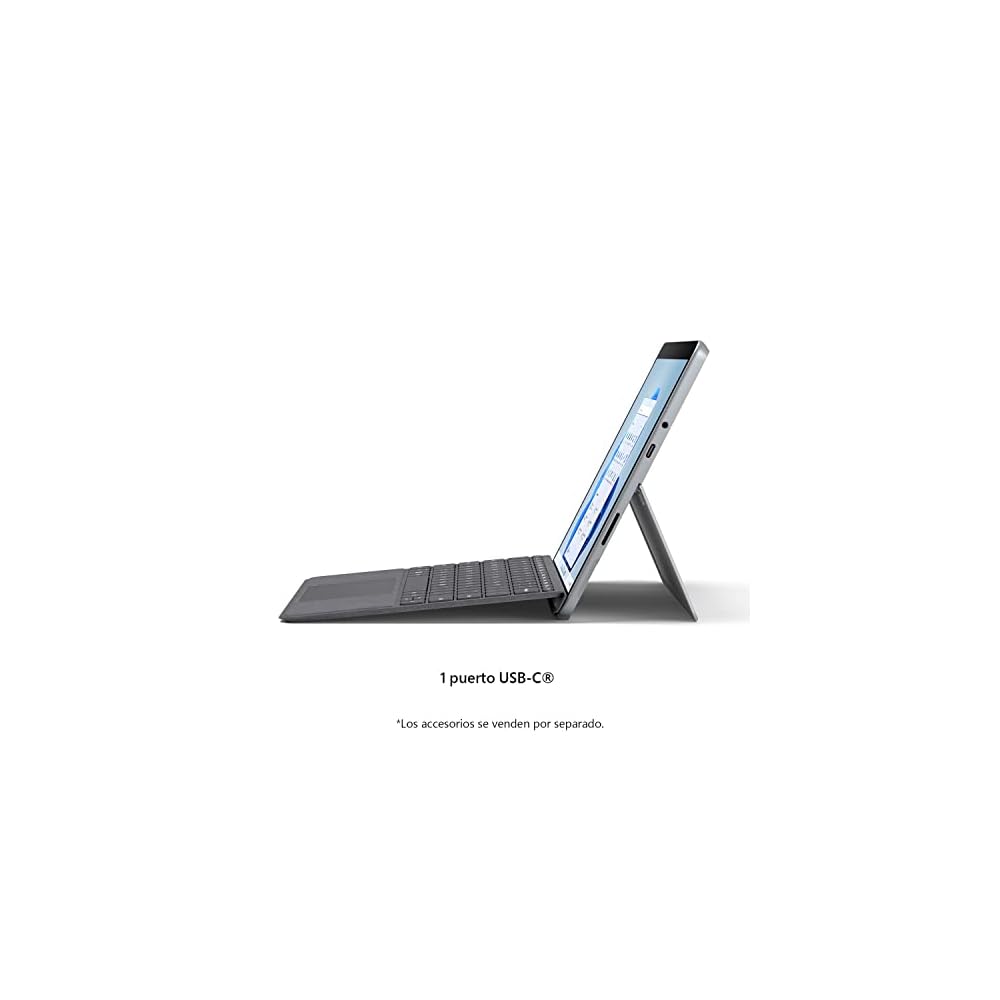
- Includes USB-C port, headphone jack, Bluetooth 5.0, and MicroSDXC Card Reader
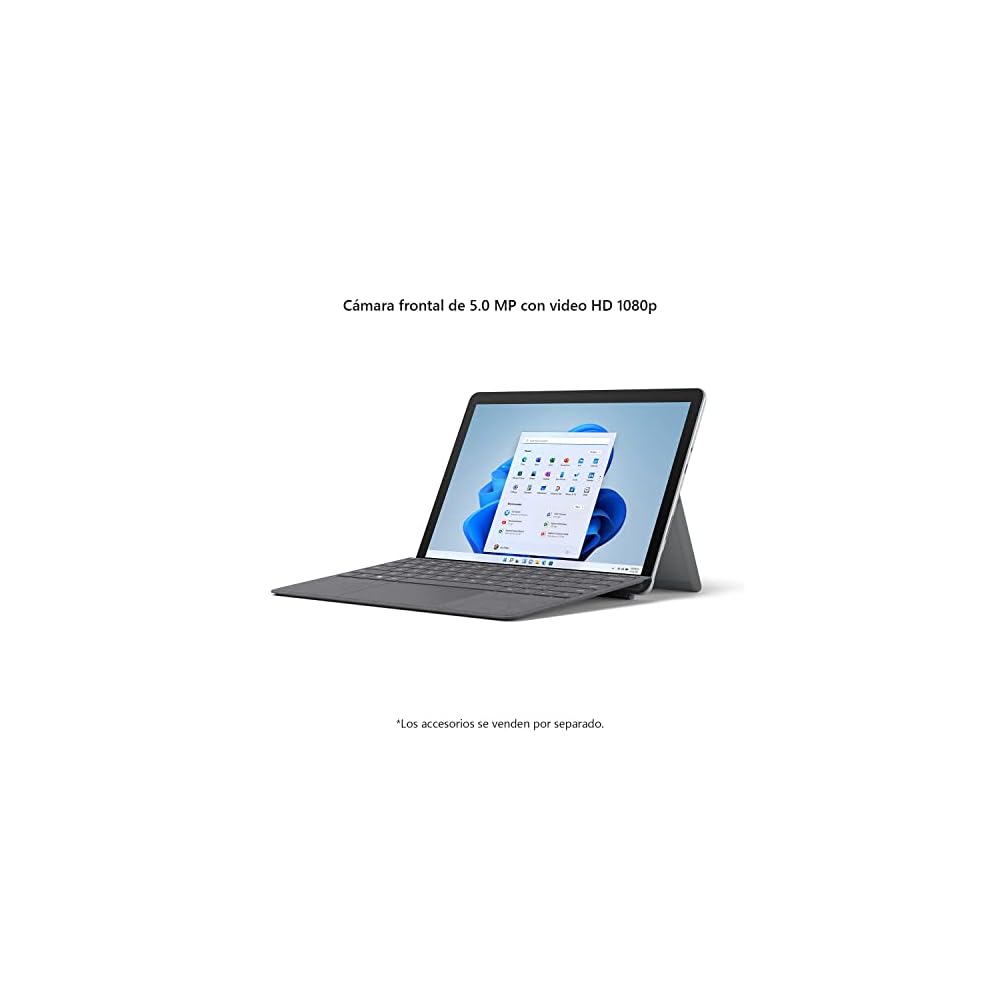
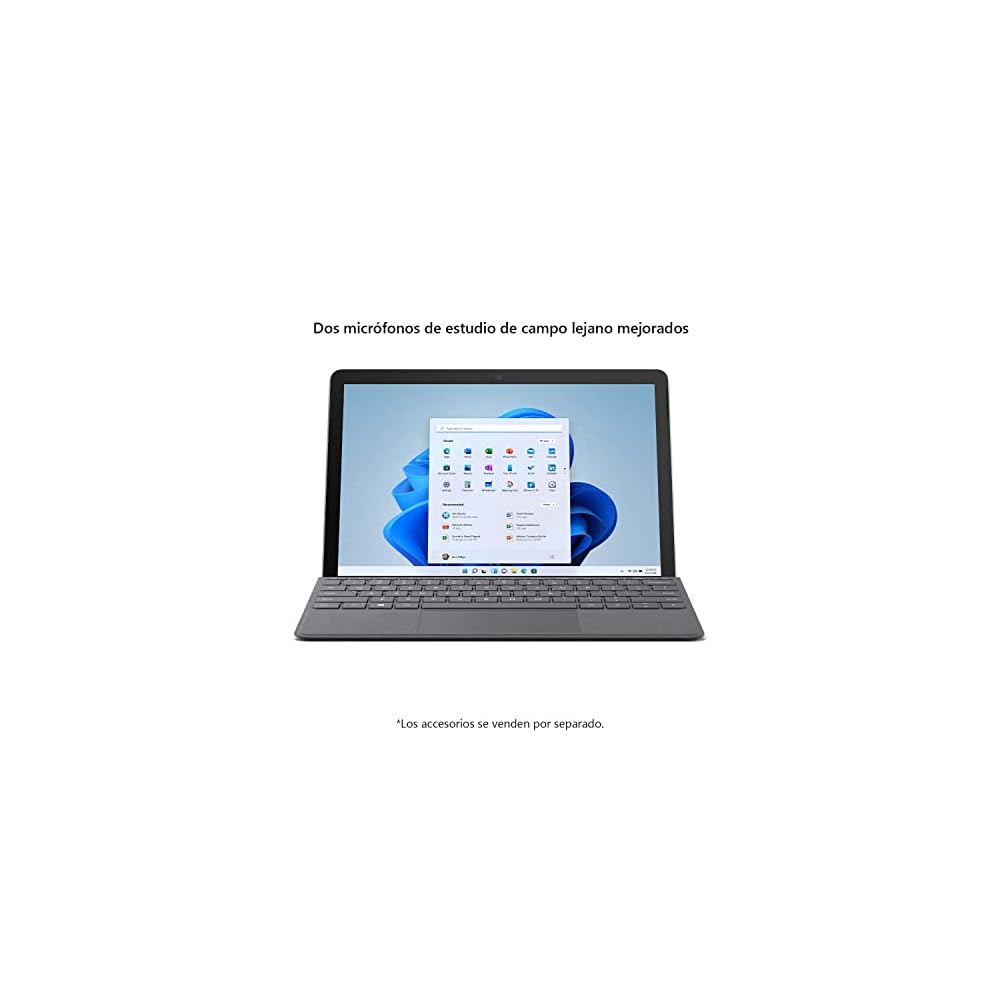
- Front- and rear-facing 1080p HD cameras and dual Studio Mics with Dolby Audio
| Brand | Microsoft |
| Model Name | Surface Go |
| Generation | 3rd Generation |
| Model Year | 2021 |
| Age Range Description | Adult |
| Built-In Media | Power Supply, QSG, Safety, Tablet, Warranty Documents |
| Model Number | 8VA-00001 |
| Specific Uses For Product | Entertainment |
| UPC | 889842801309 |
| Style Name | WiFi |
| Manufacturer | Microsoft |
| Set Name | Microsoft Surface Go 3 |
| Configuration | Intel® Pentium® Gold |
| Size | 8GB RAM 128GB Storage |
| Mfr Part Number | 8VA-00001 |
| Unit Count | 1 Count |
| Battery Average Life | 11 Hours |
| Battery Cell Type | Lithium Ion |
| Battery Power | 2.44 Watts |
| Lithium-Battery Energy Content | 26.8 Watt Hours |
| Processor Speed | 1.1 GHz |
| Processor Description | Intel Pentium |
| Processor Brand | Intel |
| Video Capture Resolution | HD 720p |
| Camera Description | Front, Rear |
| Rear Facing Camera Photo Sensor Resolution | 8 MP |
| Front Photo Sensor Resolution | 5 MP |
| Photo Sensor Resolution | 8 MP |
| Headphones Jack | headphone jack |
| Operating System | Windows 11 Home |
| Color | Platinum |
| Video Processor | Intel |
| Item Weight | 1.2 Pounds (540 grams) |
| Item Dimensions L x W x Thickness | 10.82"L x 7.98"W x 1.89"Th (27.5 x 20.3 x 4.8 cm) |
| Human-Interface Input | Touchscreen |
| Graphics Description | Integrated |
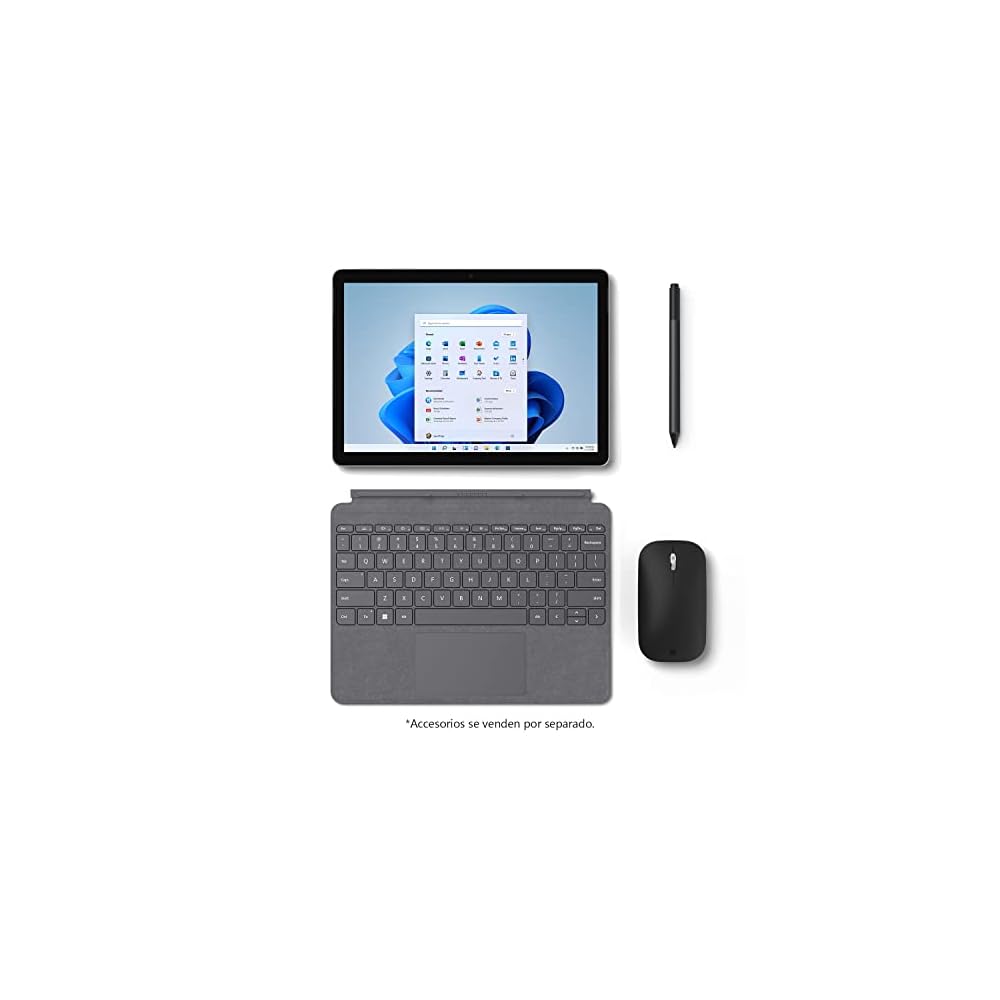
| Compatible Devices | Keyboard, Stylus Pen, Docking Station |
| Operating System Family | Windows |
| Screen Size | 10.51 Inches (26.7 cm) |
| Display Resolution Maximum | 1920x1280 Pixels |
| Display Type | PixelSense |
| Native Resolution | 1920x1280 |
| Aspect Ratio | 3:2 |
| Display Refresh Rate in Hertz | 60 |
| Memory Storage Capacity | 8 GB |
| RAM Memory Installed | 8 GB |
| Memory Slots Available | 1 |
| Compatible Flash Memory Type | microSDXC |
| RAM Size | 8 GB |
| Hard-Drive Size | 128 GB |
| Hardware Interface | USB Type C |
| Wireless Technology | Bluetooth, Wi-Fi |
| Cellular Technology | 4G |
| Total Usb Ports | 1 |
| Connectivity Technology | USB |
| Wireless Provider | Verizon Wireless |
| Wireless Compability | 802.11a, 802.11ac, 802.11ax, 802.11b, 802.11g |
| Other Special Features of the Product | Fast Charging |
| Sensor Type | Accelerometer, Magnetometer, Gyroscope, Ambient Light Sensor |
| Biometric Security Feature | Fingerprint Scanner |
Who Should Buy?

-
Students
Ideal for students needing a portable device for note-taking, online classes, and lightweight productivity tasks.
-
Casual Users
Perfect for users who require a device for browsing, streaming, and light office applications without heavy processing.
-
Travelers
Lightweight and compact design makes it easy to carry, fitting well in travel bags for on-the-go use.

-
Gamers
Not suitable for gaming enthusiasts needing high-performance graphics and processing power for demanding games.
-
Creative Professionals
Lacks the power needed for professional graphic design, video editing, or high-end software applications.
-
Power Users
Limited performance and storage capacity may not meet the needs of users requiring intensive multitasking or resource-heavy applications.
Product Description
Have any Query? Chat with us
Customer Questions & Answers
-
Question:
What are the key features of the Microsoft Surface Go 3?
Answer: The Microsoft Surface Go 3 features a 10.5-inch touchscreen display powered by an Intel Pentium Gold processor, complemented by 8GB of memory and a 128GB SSD. This combination ensures smooth multitasking and ample storage for documents and applications. The device is ultra-portable, making it perfect for on-the-go productivity. Whether you’re browsing the web, streaming videos, or working on office applications, the Surface Go 3 delivers an impressive performance in a sleek design. -
Question:
Is the Microsoft Surface Go 3 suitable for gaming?
Answer: While the Microsoft Surface Go 3 is not designed as a gaming device, it can handle light gaming due to its Intel Pentium Gold processor. You can enjoy casual games available in the Microsoft Store or browser-based games without significant performance issues. However, for more demanding titles or graphic-intensive gaming, consider a device with a dedicated graphics card for an enhanced experience. -
Question:
Can I use the Microsoft Surface Go 3 for professional work?
Answer: Absolutely! The Microsoft Surface Go 3 is capable of running productivity suites like Microsoft Office, making it ideal for professionals who need to work on documents, spreadsheets, and presentations. Its lightweight build protects mobility, allowing seamless use in meetings, coworking spaces, or even at home. The long battery life ensures you can stay productive without constantly searching for a power outlet. -
Question:
What operating system does the Microsoft Surface Go 3 run?
Answer: The Microsoft Surface Go 3 runs on Windows 11, providing a familiar interface and access to a wide range of applications via the Microsoft Store. This operating system is optimized for both touch and traditional input methods, making it versatile for various tasks. It also includes features like Snap Layouts and Widgets, which enhance multitasking and improve user efficiency. -
Question:
Does the Surface Go 3 support accessories such as the Surface Pen?
Answer: Yes, the Microsoft Surface Go 3 supports a variety of accessories, including the Surface Pen and Surface Type Cover, which enhance the functionality of the device. The Surface Pen allows for precise note-taking, drawing, and creative tasks. Meanwhile, the Type Cover provides a comfortable typing experience for users who prefer to work on documents or emails in a more traditional laptop format. -
Question:
What is the display resolution of the Microsoft Surface Go 3?
Answer: The Microsoft Surface Go 3 features a resolution of 1920 x 1280 pixels on its 10.5-inch touchscreen display. This high-resolution screen not only provides vibrant colors and sharp details but also improves the overall viewing experience while watching videos or playing games. It’s particularly beneficial when working on detailed projects that require accurate visuals or editing. -
Question:
Is the Microsoft Surface Go 3 good for students?
Answer: The Microsoft Surface Go 3 is an excellent choice for students due to its portability, long battery life, and compatibility with popular educational software. It’s lightweight enough to carry around campus, and its touchscreen functionality is ideal for interactive learning. Students can easily take notes, collaborate on group projects, or complete assignments wherever they are, enhancing productivity and learning. -
Question:
What are the connectivity options available in the Surface Go 3?
Answer: The Microsoft Surface Go 3 comes equipped with various connectivity options, including USB-C, Bluetooth 5.0, and a headphone jack. The USB-C port facilitates fast data transfer and connects to various peripherals, while Bluetooth enables wireless connections to accessories like keyboards, mice, and speakers. Additionally, it supports Wi-Fi 6 for faster internet connectivity, making it versatile for modern environments. -
Question:
What makes the Surface Go 3 different from its predecessor?
Answer: The Surface Go 3 improves upon its predecessor by introducing a faster Intel Pentium Gold processor, enhancing performance for everyday tasks. It also benefits from improved graphics capabilities, better battery life, and further optimized performance in Windows 11. These enhancements result in a more responsive and smoother user experience when compared to the Surface Go 2, making it well-suited for both casual and professional users. -
Question:
Where can I buy Microsoft Surface Go 3 in Ethiopia?
Answer: You can buy the Microsoft Surface Go 3 from Ubuy, a reputable online marketplace that offers a wide selection of electronics. Ubuy provides access to the latest model, ensuring you receive a genuine product along with reliable customer service. With their efficient platform, you can conveniently explore various options and make your purchase with ease.
Microsoft Tablets 8VA-00001 Editorial Review


The Microsoft Surface Go 3 is a touch screen tablet that comes with Windows 10 pre-installed. While it's affordable, it might not be the most powerful tablet in the market, and as reviewers pointed out, it had some issues with functionality. Even though some of the customers had some trouble with the product, the majority of them enjoyed the tablet's size and form factor, and praised its screen and touch performance. Reviewers noted that some apps and software work flawlessly while others were laggy. Connectivity and storage also seemed to be points of contention among customers. Some customers reported difficulty connecting to certain a WiFi network, while others found that the storage was not sufficient for them to go offline to manage their files. In summary, while the tablet is a good fit for those who value portability, those who are looking for something more powerful should Consider other options.
Customer Reviews & Ratings
230 customers ratings
-
5 Star
67%
-
4 Star
18%
-
3 Star
2%
-
2 Star
5%
-
1 Star
8%
Review this product
Share your thoughts with other customers
Pros
- Affordable
- Good touchscreen
- Nice form factor
Cons
- Poor battery life
People also bought these Items


Product Price History
Important information
- Limitations : For products shipped internationally, please note that any manufacturer warranty may not be valid; manufacturer service options may not be available; product manuals, instructions, and safety warnings may not be in destination country languages; the products (and accompanying materials) may not be designed in accordance with destination country standards, specifications, and labeling requirements; and the products may not conform to destination country voltage and other electrical standards (requiring use of an adapter or converter if appropriate). The recipient is responsible for assuring that the product can be lawfully imported to the destination country. When ordering from Ubuy or its affiliates, the recipient is the importer of record and must comply with all laws and regulations of the destination country.
- Not all the products listed on Ubuy are for sale, as Ubuy is a global search engine. Products are subject to export/trade regulations.
ETB 135721
Currently unavailable.
We don't know when or if this item will be back in stock.
This item is not restrict in my country.(Please click on above link if this item is not restrict in your country, So our team will review and allow.)
Secured transaction
Ubuy works hard to protect your security and privacy. Our advanced payment security system ensures confidentiality by encrypting your information during transmission using AES (Advanced Encryption Standards) and SSL (Secure Socket Layer) protocols. Your payment details are 100% secure as we do not share your payment details with third party sellers.
Our Top Logistics Partners
Fastest cross-border delivery
Features & Benefits
- Optimized for digital pen and touch
- Fast Intel® Pentium® or Intel® Core™ i3 processor options
- All-day battery life with fast charging
- Adjustable Kickstand, Surface Pen, and Type Cover included
- Plug in accessories with the included USB-C port, headphone jack, Bluetooth, and MicroSDXC card reader
- Requires Microsoft 365 for Word, Excel, and PowerPoint