- Home Page /
- Office Products /
- Office Electronics /
- Printers & Accessories /
- Computer Printers /
- Inkjet Computer Printers /
- Ink Tank Printers /
- Canon G3200 All-In-One Wireless Supertank (Me...
0 ratings




Item #:
7055083
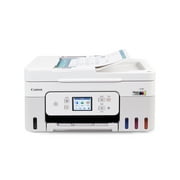
Canon G3200 All-In-One Wireless Supertank (MegaTank) Printer| Copier| Scanner| and Mobile Printing, Black, 6.5" x 17.6" x 13" (0630C002)
81% of respondents would recommend this to a friend
Item #:
7055083
ETB 47043
Price Details
Excluding Shipping & Custom charges ( Shipping and custom charges will be calculated on checkout )
*All items will import from US
11%
0 ratings
Write a review
In stock
 Imported from USA store
QTY:
Only 1 item left in stock.
Order now and get it around Saturday, July 04
Secured transaction
Ubuy works hard to protect your security and privacy. Our advanced payment security system ensures confidentiality by encrypting your information during transmission using AES (Advanced Encryption Standards) and SSL (Secure Socket Layer) protocols. Your payment details are 100% secure as we do not share your payment details with third party sellers.
Our Top Logistics Partners


Fast
Shipping

Free
Return*

Secure Packaging

100% Original Products

PCI DSS Compliance

ISO 27001 Certified


Note: Step Down Voltage Transformer required for using electronics products of US store (110-120). Recommended power converters Buy Now.


What Stands Out
Wireless Convenience
Print, scan, and copy from anywhere in your home with seamless wireless connectivity, enhancing productivity without the hassle of tangled cords.
Cost-Effective Printing
Equipped with MegaTank technology, this printer offers high-volume printing at significantly lower costs, ensuring your printing needs are met without breaking the bank.
Versatile Mobile Printing
Supports mobile printing from smartphones and tablets, making it easy to print on-the-go and streamline your work and personal projects.
Product Details
- Canon G3200 All-In-One Wireless Supertank MegaTank Printer
- Print up to 6,000 crisp black pages / 7,000 magnificent color pages
- Integrated ink tanks for easy refilling and ink level monitoring
- Prints documents and borderless photos in high quality
- Connects wirelessly to mobile devices
- Compatible with Google Cloud Print
| Printer Type | Inkjet |
| Other Special Features of the Product | refill ink,wireless |
| Printer Output Type | Color |
| Item Weight | 12.7 Pounds (5.76 kg) |
| Item Dimensions D x W x H | 13"D x 17.6"W x 6.5"H (33 x 44.7 x 16.5 cm) |
| Controller Type | Android |
| Print media | Envelopes, Glossy photo paper |
| Scanner Type | Flatbed |
| Maximum Copy Speed Black and White | 8.8 ppm |
| Compatible Devices | Printer |
| Maximum Copies Per Run | 100 |
| Ink Color | Black |
| Additional Printer Functions | Scan |
| Control Method | App |
| Number of Trays | 1 |
| Processor Count | 4 |
| Resolution | 1200 |
| Maximum Media Size | Photo - 4" x 6", Legal - 8.50" x 14", Letter - 8.50" x 11", 8" x 10", 5" x 7", 5" x 5", Envelope No. 10 - 4.13" x 9.50" (10.2 x 174 x 377.2 cm) |
| Maximum Sheet Capacity | 100 |
| Paper Size | 4 x 6, 8.50 x 14, 8.50 x 11, 8 x 10, 5 x 7, 5 x 5, 4.13 x 9.50 |
| Output sheet capacity | 100 |
| Printer Connectivity Type | USB, Wireless |
| Hardware Interface | USB |
| Total Usb Ports | 1 |
| Dual-sided printing | Yes |
| Duplex | Automatic |
| Brand | Canon |
| Model Name | PIXMA G3200 |
| Model Number | 0630C002 |
| Built-In Media | PIXMA G3200 Wireless MegaTank All-In-One Printer |
| Model Series | G |
| Specific Uses For Product | Home |
| UPC | 013803281156 |
| Global Trade Identification Number | 00013803281156 |
| Manufacturer | Canon, Inc |
| Item Type Name | Inkjet Multifunction Printer |
| Unit Count | 1.0 Count |
| Color Pages per Minute | 5 ppm |
| B&W Pages per Minute | 8.8 ppm |
| Color | Black |
| Color Depth | 48 bpp |
| Maximum print Resolution Color | 1200 dpi |
| Maximum Print Resolution Black and White | 1200 dpi |
| Power Consumption | 4.6 Watts |
| Wattage | 4.6 watts |
| Maximum Copy Resolution Color | 600 x 1200 dpi |
| Maximum Copy Resolution Black and White | 600 dpi |
| Connectivity Technology | USB, Wireless |
| Printing Technology | Inkjet |
| Special Feature | refill ink,wireless |
| Printer Output | Color |
| Maximum Print Speed (Color) | 5 ppm |
| Max Printspeed Monochrome | 8.8 ppm |
What's in the box
PIXMA G3200 Wireless MegaTank All-In-One Printer
Who Should Buy?

-
Home Office Users
Ideal for remote workers needing versatile printing, copying, and scanning capabilities without frequent ink replacement.
-
Frequent Print Users
Perfect for those who print in bulk, thanks to the high-capacity MegaTank system that reduces ink costs.
-
Students
Beneficial for students requiring multi-function printing for assignments and projects, reducing overall printing expenses.

-
Occasional Users
Not suitable for users who print infrequently, as ink may dry out in cartridges over long periods.
-
Compact Spaces
Purchase may be impractical for those limited on space, as the printer has a larger footprint.
-
High-Quality Photographers
May not meet the color accuracy and quality demands expected by professional photographers for high-end prints.
Product Description
About This Item
Looking for a cost-effective and hassle-free printing solution? The Canon G3200 All-In-One Wireless Supertank MegaTank Printer has got you covered! With its innovative Mega Tank Ink system, you can print up to 6,000 sharp, black text pages or 7,000 vivid color pages, without any worries of cartridge replacement. It even comes with two full-size bonus black ink bottles to make printing even more affordable. But the G3200 isn't just about practicality - it also prints great looking photos! You can print borderless photos ranging from 8.5x11 and 5x5 to 4x6. Whether you're printing documents or photos, the Canon G3200 will produce professional-looking results. But that's not all - this printer is seriously connected! It comes with built-in Wi-Fi, AirPrint, Google Cloud Print, USB and even the Cloud.
So no matter where you are or what device you're using, the G3200 can keep up with your printing demands. So why wait? With the Canon G3200 All-In-One Wireless Supertank MegaTank Printer, you can stock up on prints instead of empty cartridges. Get yours now and start printing without the worries of running out of ink!.
Have any Query? Chat with us
Related Searches
Customer Questions & Answers
-
Question:
What are the main features of the Canon G3200 All-In-One Wireless Supertank MegaTank Printer?
Answer: The Canon G3200 offers versatile functionality as a printer, copier, and scanner, making it an ideal choice for home or office use. It features wireless connectivity for seamless mobile printing, allowing you to print directly from your smartphone or tablet via the Canon PRINT app. Additionally, the MegaTank system provides high-capacity ink tanks that reduce the need for frequent replacements, ensuring cost-effective printing. Its compact design also fits well in various spaces. -
Question:
How does the MegaTank system work in the Canon G3200 printer?
Answer: The MegaTank system in the Canon G3200 utilizes large, refillable ink tanks instead of traditional cartridges. This allows for an extended printing capacity, reducing the frequency of ink replacements. Users can save significantly on ink costs due to the high yield of prints per tank. When you do need to refill, it’s a simple process with easy-to-handle bottles designed to minimize spills. This is particularly beneficial for families or small businesses that require a lot of printing. -
Question:
Can the Canon G3200 be used for mobile printing?
Answer: Yes, the Canon G3200 supports mobile printing through various features, including Canon PRINT app, Apple AirPrint, and Google Cloud Print. This enables you to send documents or photos to the printer from your smartphone or tablet, making it an excellent choice for users on the go. The wireless connectivity facilitates printing without the need for additional cables, so whether you are at home or the office, you can conveniently print from anywhere within your Wi-Fi range. -
Question:
What types of paper can I use with the Canon G3200 printer?
Answer: The Canon G3200 is compatible with a wide range of paper types, including plain paper, glossy photo paper, and even envelopes. The printer can handle various paper sizes, up to 8.5 x 14 inches, making it suitable for different printing needs, whether you are producing standard documents or professional-quality photographs. This versatility allows you to cater to various printing tasks, from school projects to marketing materials. -
Question:
What is the printing speed of the Canon G3200?
Answer: The Canon G3200 offers competitive printing speeds of up to 8.8 images per minute (ipm) for black documents and 5.0 ipm for color documents. This makes it suitable for both home and office environments where productivity is essential. The speed ensures that you can quickly print necessary documents without long wait times, enhancing overall workflow efficiency. -
Question:
Does the Canon G3200 support duplex printing?
Answer: The Canon G3200 does not feature automatic duplex printing, but you can manually print on both sides of the paper. This feature helps save paper and can be beneficial for users who want to reduce their environmental footprint while being mindful of printing costs. Manual duplex printing is simple; you just need to follow the instructions in the printer settings to print the second side after the first side is completed. -
Question:
Is the Canon G3200 compatible with Windows and Mac operating systems?
Answer: Yes, the Canon G3200 is compatible with both Windows and Mac operating systems. This broad compatibility ensures that you can seamlessly integrate the printer into your existing home or office setup, regardless of the platform you use. The installation process is straightforward with supplied drivers, allowing you to start printing quickly and efficiently, whether from a desktop, laptop, or mobile device. -
Question:
What types of documents can I scan with the Canon G3200?
Answer: The Canon G3200 can scan a variety of documents, including photos, essays, invoices, and important paperwork. With a maximum optical resolution of 600 x 1200 dpi, it delivers high-definition scans that capture fine details. This flexibility makes it a great choice for students, professionals, and anyone needing to digitize documents for archiving or sharing purposes. The flatbed design also enables easy scanning of thick documents or books. -
Question:
How do I connect the Canon G3200 to my wireless network?
Answer: Connecting the Canon G3200 to your wireless network is a straightforward process. You can use the built-in Wi-Fi setup feature to select your network and enter the password directly using the printer's control panel. Alternatively, you can use the WPS button if your router supports it, allowing for secure and quick connection without the need for complex settings. Once connected, you can enjoy wireless printing from multiple devices within your Wi-Fi range. -
Question:
Where can I buy the Canon G3200 printer?
Answer: You can buy the Canon G3200 All-In-One Wireless Supertank MegaTank Printer through Ubuy. Ubuy offers a user-friendly shopping experience, where you can find the printer along with additional details and specifications. They provide a wide selection of products for easy browsing, ensuring that you can make an informed choice when purchasing the printer that best suits your needs.
Canon Ink Tank Printers 0630C002 Editorial Review


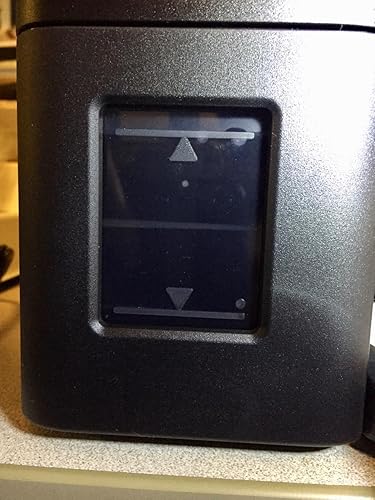


The Canon PIXMA G3200 Wireless MegaTank All-In-One Printer offers a great ink setup and is compatible with iMac and MacAir. It works well as a printer and copier, and the print quality is good. The printer automatically performs self-cleaning when powered on or after long periods of idle time, ensuring it is always ready to print. It can handle short runs on card stock with no issues. Additionally, this printer can be converted to a sublimation printer by refilling the ink tanks with sublimation ink. However, there are some drawbacks to Consider. The printer's compatibility with Apple mobile devices is limited, as the Canon PRINT Inkjet/SELPHY app is not user-friendly. The duplex printing feature is not automatic, requiring manual re-insertion of the paper for double-sided printing. Some customers have also experienced difficulties setting up the printer and connecting it to their computer and Wi-Fi network. The included instructions and Canon's website were not very helpful in troubleshooting issues. Overall, the Canon PIXMA G3200 printer provides good print quality and an efficient ink setup. However, its compatibility with Apple devices and difficulties with setup and duplex printing may be frustrating for some users.
Customer Reviews & Ratings
1662 customers ratings
-
5 Star
58%
-
4 Star
11%
-
3 Star
6%
-
2 Star
4%
-
1 Star
21%
Review this product
Share your thoughts with other customers
Pros
- Good print quality
- Efficient ink setup
- Can be converted to a sublimation printer
Cons
- Limited compatibility with Apple mobile devices
Top selling Canon G3200 Printer in South Africa





Last Updated on June 4, 2026
Product Price History
Important information
- Limitations : For products shipped internationally, please note that any manufacturer warranty may not be valid; manufacturer service options may not be available; product manuals, instructions, and safety warnings may not be in destination country languages; the products (and accompanying materials) may not be designed in accordance with destination country standards, specifications, and labeling requirements; and the products may not conform to destination country voltage and other electrical standards (requiring use of an adapter or converter if appropriate). The recipient is responsible for assuring that the product can be lawfully imported to the destination country. When ordering from Ubuy or its affiliates, the recipient is the importer of record and must comply with all laws and regulations of the destination country.
- Not all the products listed on Ubuy are for sale, as Ubuy is a global search engine. Products are subject to export/trade regulations.
ETB 47043
Order now and get it around Saturday, July 04
This item is not restrict in my country.(Please click on above link if this item is not restrict in your country, So our team will review and allow.)
QTY:
Only 1 item left in stock.
Secured transaction
Ubuy works hard to protect your security and privacy. Our advanced payment security system ensures confidentiality by encrypting your information during transmission using AES (Advanced Encryption Standards) and SSL (Secure Socket Layer) protocols. Your payment details are 100% secure as we do not share your payment details with third party sellers.
Our Top Logistics Partners
Fastest cross-border delivery